


☀️ For Everyone · Practical AI for life and work
No technical background needed. Just useful ideas and experiments you can try yourself.
Builders: expect practical examples of using AI, rather than code or technical deep dives.
Heads up: this one is a bit more technical than my usual For Everyone pieces. You won’t need to write any code though, your AI does the setup with you step by step.
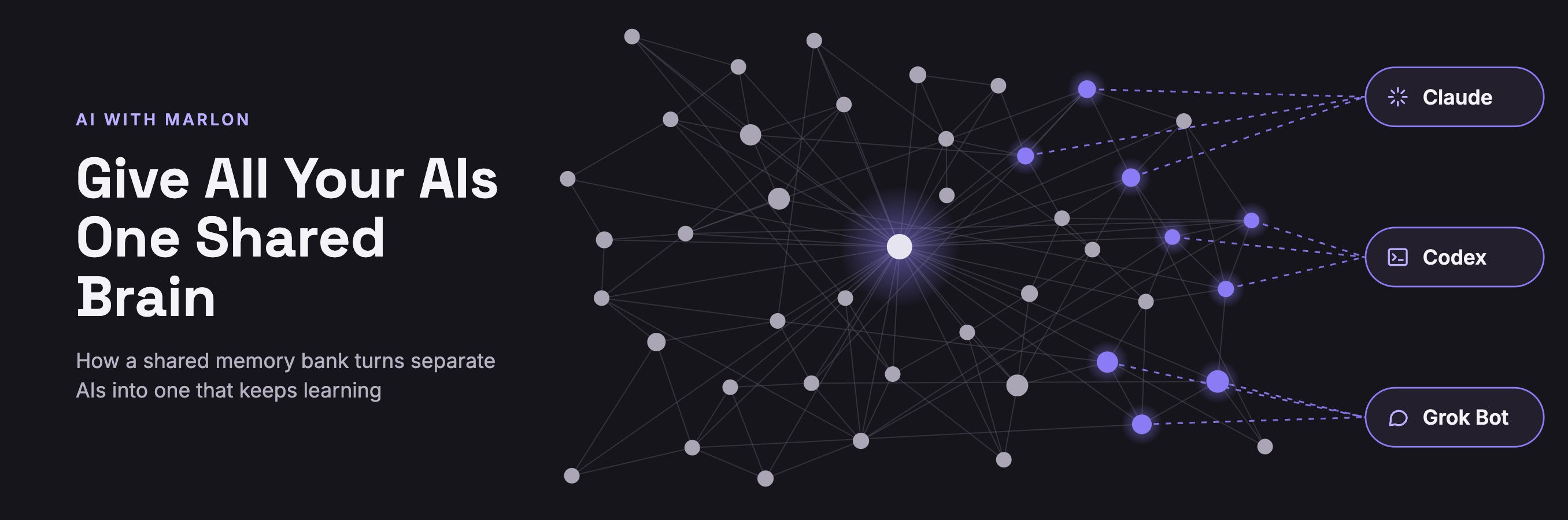
As my readers know, I chat plenty with Grok Bot throughout the day (or as Charlene would say - way too much!) But I’m also in Codex and Claude all the time, depending on what I’m doing. And for the longest time, every time I switched, it always felt like I’d left insights behind in another AI, and I had to put them back into context all over again.
That’s not the case anymore for me, because my Grok Bot now pushes what’s worth keeping into a shared memory bank, and when I’m working with Codex or Claude, the things I had in context during a Grok Bot session are available to me there too. It makes working with AI much, much more productive!!
In my last article, Stop Copy-Pasting Your Life Into AI, I said the most important thing is giving your AI context through connectors instead of copy-paste. The next big thing to have in place is a memory system.
Now, I know what you’re thinking: “but Claude and ChatGPT already have memory!” And they do. The catch is that each one keeps it to itself. What Claude learns about you stays in Claude, and what ChatGPT learns stays in ChatGPT (in fact sometimes even between ChatGPT and Codex I had issues!!). When you create your own memory system, you break free from that, and having all your AIs work from one common memory bank is a whole different experience!
Think of it like hiring a new employee. It takes them some months to build up enough insights about the business and about how you work before they’re really productive, right? That’s exactly how my AIs felt every time I switched between them.
Let me give you a real example. I’m refurbishing a house and was using Claude to generate a bunch of documents for it. Meanwhile Chief, my assistant on Grok Bot, organises my day and my meetings. But for any meeting about the refurbishment, Chief couldn’t really help me out because it had zero context. It didn’t know what I was talking about!
So I was resorting to going to Claude, asking it to generate a Markdown file with all the context, and then pushing that file over to Grok Bot. All of this back and forth is not very natural, right? That’s exactly the problem a shared brain solves: what Claude knows about the refurbishment is there when Chief needs it.
And it’s not just about having the same notes in both places. Sometimes one piece of insight is linked to another. Our human brains make these connections, we know why one thing is relevant to another, and that’s how we recall things. I wrote about this in Teaching Software to Wander Like We Do, on how graph databases add value in agentic AI. Just dumping stuff into Markdown files is not enough. You also need these links, curated over time as you connect one thing to another. Once you have that, you have something really, really powerful.
Knowledge is not just a pile of individual memories, it’s the insights you link together over time.
Even if you only think about this from a personal point of view, it already adds a lot of value. Of course, you can also think about it in a team or business setup, where shared memory is a massive enabler for organisations. I’ll touch on that at the end, but this article is about why you should at least start trying it for yourself. And to make that easy, I’ve put everything I built into a repo you can hand straight to your AI, so it sets it up with you step by step. You’ll find the link in the “So how do you build your own?” section below (keep reading :) )
So what does an AI brain actually look like?
I call it my Shared AI brain. In practice, it’s more of a memory bank that all AIs read from and write to. I’ll share how I built mine, but in reality there are many different ways you can do it. So before naming any tools, let’s start with what a shared AI brain needs in place:
A shared memory every AI can reach: somewhere your memories are stored, plus a way for each of your AIs to search, read and write them. For most AIs, that means an MCP connection.
A way to turn conversations into insights: you don’t want whole chats in there. Only the distilled stuff should go in: the decisions, preferences and lessons that came out of a conversation.
A way to reflect and connect: every so often, something needs to go over what came in, consolidate it, and link it to what you already know. That’s what turns a pile of notes into actual knowledge.
A way for you to see and manage it: a simple UI where you can browse your memories, fix them and add your own by hand.
A way to sync and back it up (optional): if you want your memories on your phone or other devices, and a backup if something goes wrong.
Now here’s how I mapped that to tools:
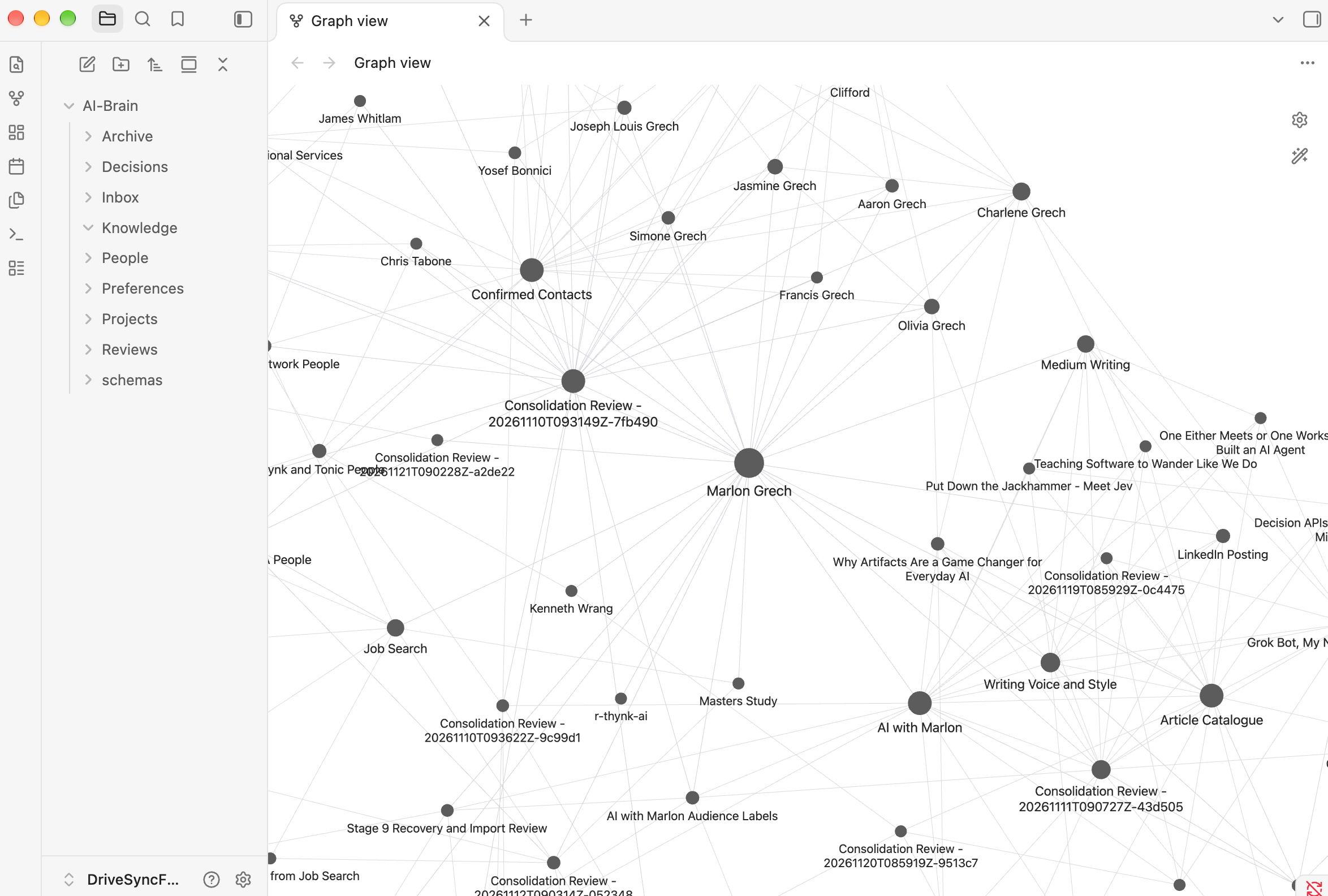
Basic Memory, for the shared memory: Basic Memory is the part doing the MCP, so all my different AI harnesses can query the same memory. It has plugins for Claude and Codex, which makes everything so simple to integrate. You don’t really need to do anything yourself as such. I went for Basic Memory because I needed something simple to start with, given this was just for personal use. Under the hood, it stores every memory as a plain text (Markdown) file in a folder, indexes them for both keyword and semantic search, and turns the links inside each note into a graph your AI can follow from one note to the next.
My AIs themselves, for turning conversations into insights: Basic Memory doesn’t decide what’s worth keeping, the AI I’m chatting with does. I gave all my AIs the same rules (more on those below), so they only push the distilled decisions, preferences and lessons, and link them to notes that are already there.
A scheduled Codex review, for reflecting and connecting: Codex regularly goes over what came in, consolidates it, flags duplicates and contradictions, and proposes merges and links for me to approve. More on this in the clean-up section.
Obsidian, for managing my memories: Obsidian is a free note-taking app, and it gives me a really nice UI to manage my memories. I can follow the links between them and add my own memories manually through a very simple interface, and there are loads of plugins to help manage it all. This part is completely optional, though. You can skip Obsidian and just keep Basic Memory’s files in a folder on your PC.
Google Drive, for sync and backup: this is just a syncing mechanism. If you want your memories on other devices plus a backup, you need something like Google Drive, iCloud or Dropbox. I use Google Drive, so I have everything on my phone as well.
Right now I have four AIs hooked up to the same brain. Claude (the desktop chat and Claude Code) and Codex plug in through MCP and Basic Memory’s plugins, so there was very little to set up. Grok Bot was the tricky one, as it has no native way to reach a local MCP server. But Grok Bot already has shell access to my Mac, so I gave it a private skill that calls the Basic Memory command line directly, pinned to my brain’s project, and it follows exactly the same rules as the others.
The folder structure is deliberately simple: Inbox (with Captures for things waiting to be reviewed, and Sessions for the checkpoints my coding sessions drop in), Projects, People, Knowledge, Decisions, Preferences and Reviews. Every note has a bit of frontmatter, a list of observations and [[wikilinks]] to related notes.
So how does stuff get into the brain?
This was the most important decision of the whole build. If every AI saves whatever it likes, your brain fills up with junk in no time. If nothing gets saved unless you remember to ask, it stays empty. So I went for something in between, and all my AIs follow the same rules:
Suggest, then ask: when something worth keeping comes up in a chat, the AI tells me at a natural pause. It shows me exactly what it wants to save and where it would go, and waits for my yes. If I say “remember this”, that’s already a yes, so it doesn’t ask twice.
Silence isn’t a yes: if I ignore the suggestion or move on to something else, nothing gets saved. I didn’t want my AIs filling the brain behind my back.
Only the good stuff: decisions and why I made them, preferences and corrections, useful findings with their sources, lessons learnt and meaningful project changes. Small talk, generic advice and raw chat dumps stay out, and so do passwords and other secrets.
A decision is not an idea: every note says what kind of thing it is. Something I decided, something I’m still thinking about and something the AI suggested are kept clearly apart. Saving an idea doesn’t turn it into a decision, and that matters a lot when another AI reads it next week!
Update, don’t pile up: before saving, the AI searches the brain first. If there’s already a note on the topic, it updates that note and keeps the history (when I change my mind, the old decision and its reasons stay there, marked as replaced) instead of creating yet another summary.
How do you know they’re all reading the same brain?
This is the bit most people skip, and it’s the bit I’d insist on. Just because a tool installed fine and says “connected” doesn’t mean your other AIs can actually see what it saved. So I tested it with something completely made up, so that no real memory could get messed up.
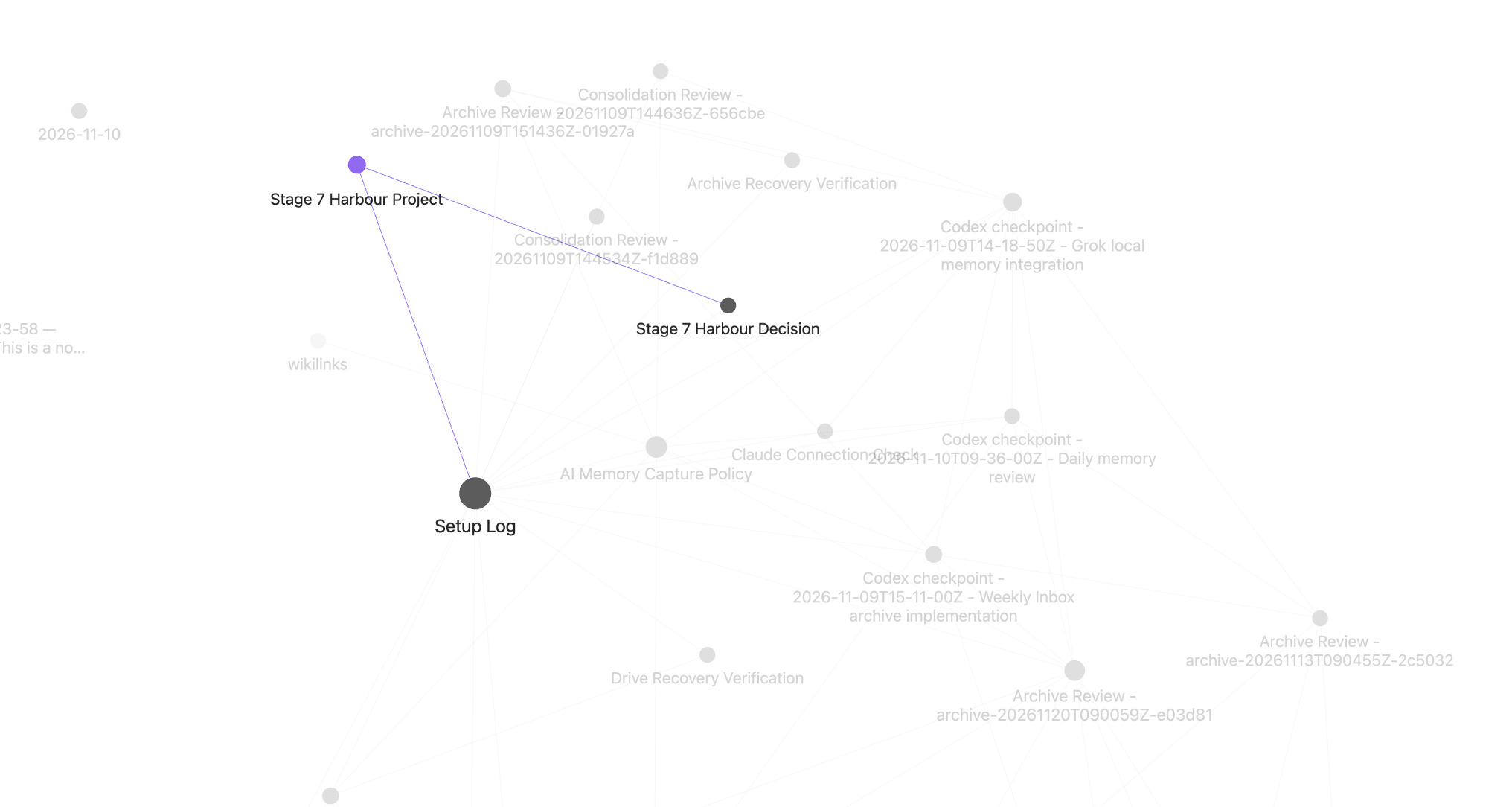
To test mine, I used a made-up project called “Harbour”: I saved a decision in Claude, changed it in Codex, and checked that Claude Code and Grok Bot both came back with the new version. The full test, step by step, is in the repo’s guide.
The tests caught real problems along the way. For example, one of Claude Code’s searches kept failing until we gave it a small standing instruction. If I hadn’t tested properly, I would have assumed everything was working!
The trick is simple. Save a made-up decision with a random code word in one AI, then ask your other AIs about it without mentioning the code word. If they come back with it, they’re reading from the same brain. Then change the decision in a different AI and check the others pick up the change. You don’t need to plan this yourself, as the repo I share below runs the full check with you during setup.
Isn’t more memory always better?
Hell NOO! And this is something I really want to stress. With memory banks and the insights you generate, it’s not just about adding stuff. You need to be very diligent about removing stuff too.
If you don’t clean up and you just keep hoarding insights, at some point it goes out of control. Old decisions sit next to new ones, the same thing gets saved three different ways, and your AI starts pulling in stale context that’s no longer true. A messy brain is worse than no brain, because your AI trusts it.
So I have Codex do the review for me. It goes through what changed, flags duplicates, contradictions and things that should be merged into an existing note, and proposes the changes. I make the call, and nothing gets deleted or rewritten behind my back. Finished items in the Inbox get moved into an Archive rather than deleted, with a backup taken first. The repo has prompts for all of this. I’d start with a weekly review (I run mine daily).
I’ll be honest, this part is a bit more advanced, and you don’t need it on day one. Get the brain working first, and add the review once you’ve got a few weeks of memories in there. But don’t skip it forever!
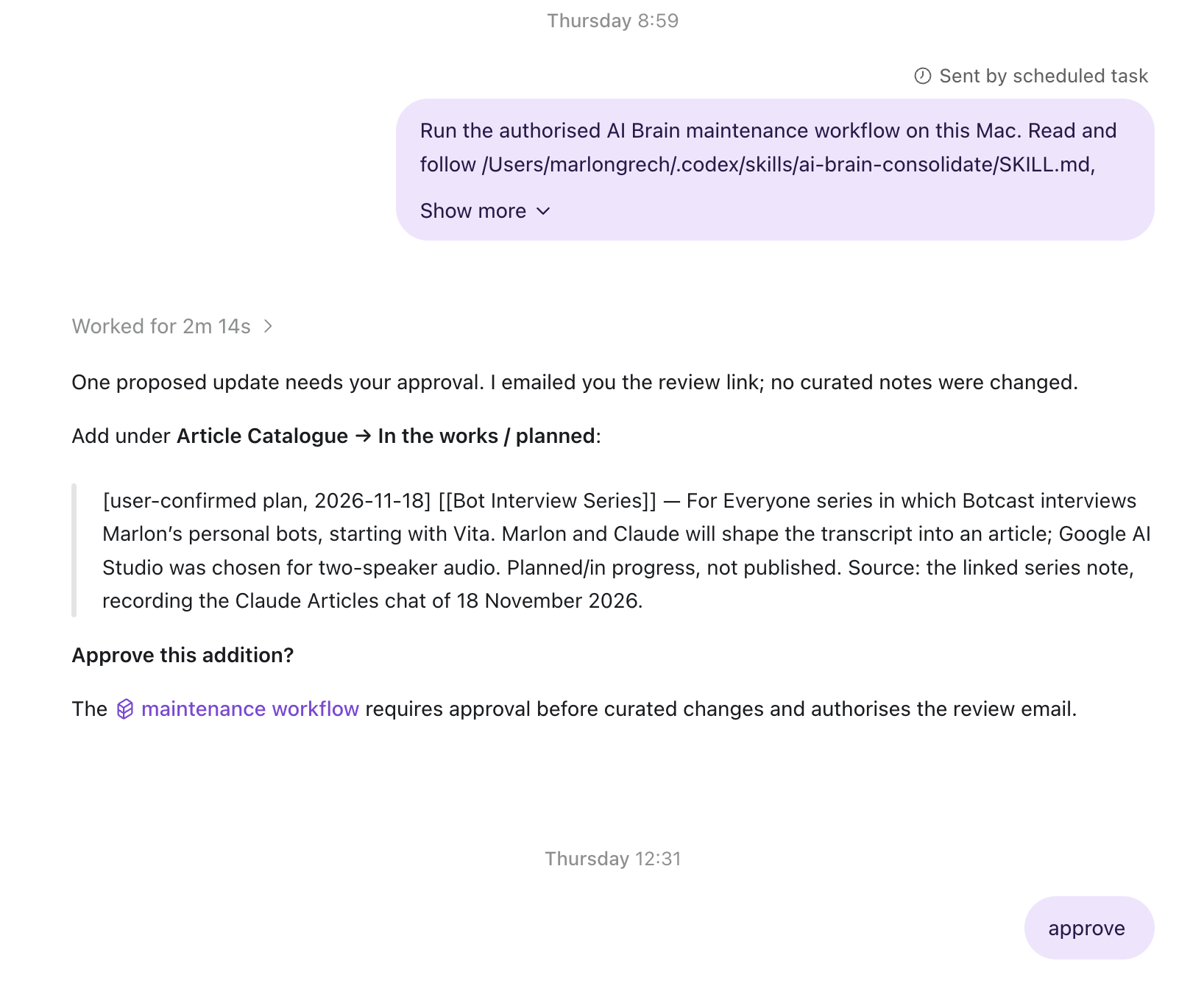
Screenshot from my scheduled review in Codex: it found one thing worth adding and is asking for me to approve the edit.
So how do you build your own?
I didn’t install any of this by hand (hah of course not!). I gave Codex the plan and asked it to build the brain with me one stage at a time, checking that each stage actually worked and waiting for my go-ahead before moving on. The whole thing was written up as it went, so I turned it into a public repo for you to do exactly the same - just hopefully much faster!
Here is the github repo - Marlon AI Brain Guide. It has the setup guide, the prompts, the templates for connecting Claude, Codex and Grok Bot, the memory rules, a fictional Harbour example for the code-word test, and the optional review and clean-up workflow.
The repo is built to be handed straight to your AI. Clone it, open the folder in Claude or Codex, and ask it to guide you step by step. It checks what you already have, asks you along the way what you want to set up (which notes folder, which AIs, whether you want it synced to your phone), does what it can itself, and waits for your OK before moving on to the next stage. Something as simple as this will do:
Read this repository and help me set up the shared AI brain it describes,
one step at a time. Check what I already have, ask me what you need along
the way, and wait for my OK before each next stage.
The README also has a more detailed prompt to paste if you prefer. Two things to know: it’s Mac-first for now (yea I switched to the lighter side :D), since that’s what I built and tested it on. And if you’d rather not run anything locally, Basic Memory Cloud is the paid hosted version that connects to Claude and Codex without installing anything.
Once it’s set up, you just use your AIs as normal. You’ll see the odd “want me to save this?” and that’s it. Things like “remember this as a preference” or “what do you know about [project] from my brain?” just work.
If this is good for personal use cases, think what it can do for a team!
This is where I think it becomes a real game changer.
Picture a team where everyone is speaking to their own AI all day, and none of those AIs share a memory. Every insight, every correction and every “no, we don’t do it like that here” lives in one person’s chat history and then disappears. Without a shared memory bank, it’s very hard for people (and their AIs) to really collaborate.
Now take it a step further. If the whole team feeds into one shared memory, you’re getting the collective learnings of the team into one bank, and that gives the AI a really good grounding to operate on. Go back to the new-hire analogy. Instead of every AI starting as a new hire, it starts with everything the team has already learnt.
Coding sessions are a great example. Every time you steer an AI during a coding session (”don’t use that library”, “we always test it this way”, “that’s not how our API works”), you’re creating an insight. Today most of those insights are lost when the session ends. With a shared memory, they’re kept, and the next session, or the next person on the team, benefits from them. Because in reality, that’s what it is: the team teaching the AI how it works, once.
And this is why I say that if you’re an organisation using AI and you haven’t started thinking about some kind of memory system, you should! I really believe that in the future, these interactions and this stored human feedback will be super, super valuable for companies, because it will make their agentic execution so much better. In fact, I think that by storing all this human feedback in memory banks, we’ll slowly arrive at a place where many of the cases where humans needed to step in and help the AI won’t be needed anymore.
For teams, I’d go for something built for it rather than a synced folder. Basic Memory Teams is the natural next step if you start with Basic Memory on your own. Memory systems like Hindsight and Cognee take it to the next level, especially for things like coding sessions, where an agent learns from every bit of steering. Hindsight in particular has reflection built in: it regularly goes over what it has stored and consolidates it into broader observations. That’s exactly the part I had to build myself with a Codex review, and in a team, where insights come in from lots of people at once, having it built in matters a lot.
The way I’m doing this is to start on a personal level, learn from it, and then take it to a team. That’s exactly what I’m doing now, piloting something similar in a small team setup using Hindsight. My good friend Stefan Camilleri (who is one of the best engineering leads I know), suggested it to me, and I’m really keen to see how it does with a team. I’ll write that one up separately, so watch this space!
But you have to start from somewhere... your start to AI memory can be as simple as >> grab the repo, build your own brain, and let me know how it goes 😀
As always special thanks to Claude (for article) and Codex (for github repo) for helping me build the brain and write this article 🦾
And another special thanks goes to James (aka Jimmy) for pushing me to write this article on AI brains and AI memory!